Fornax GitHub

One GPU, many agents.

A job queue served over MCP: agents and apps on any machine send jobs to the PC with the GPU; one runs at a time, the others wait their turn.

Get started View on GitHub

MIT licensed. The server is one Docker image; the worker runs on Windows and Linux.

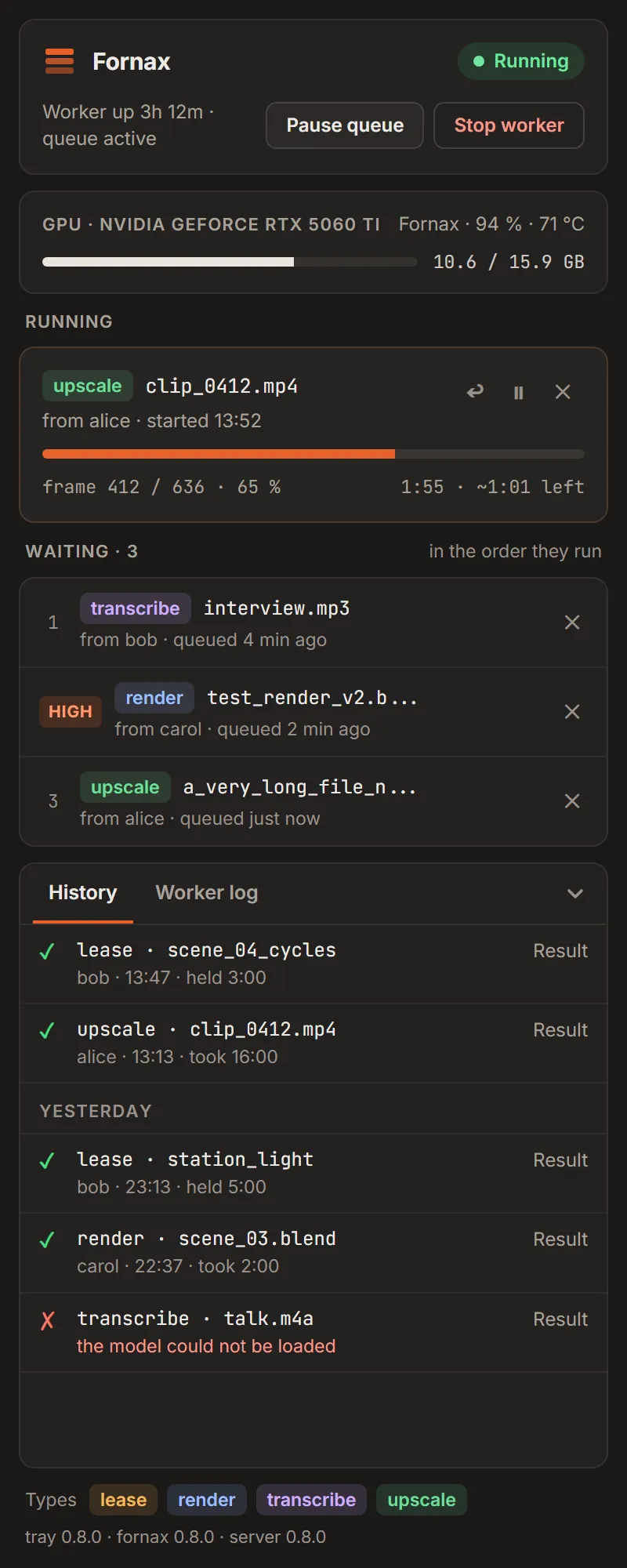
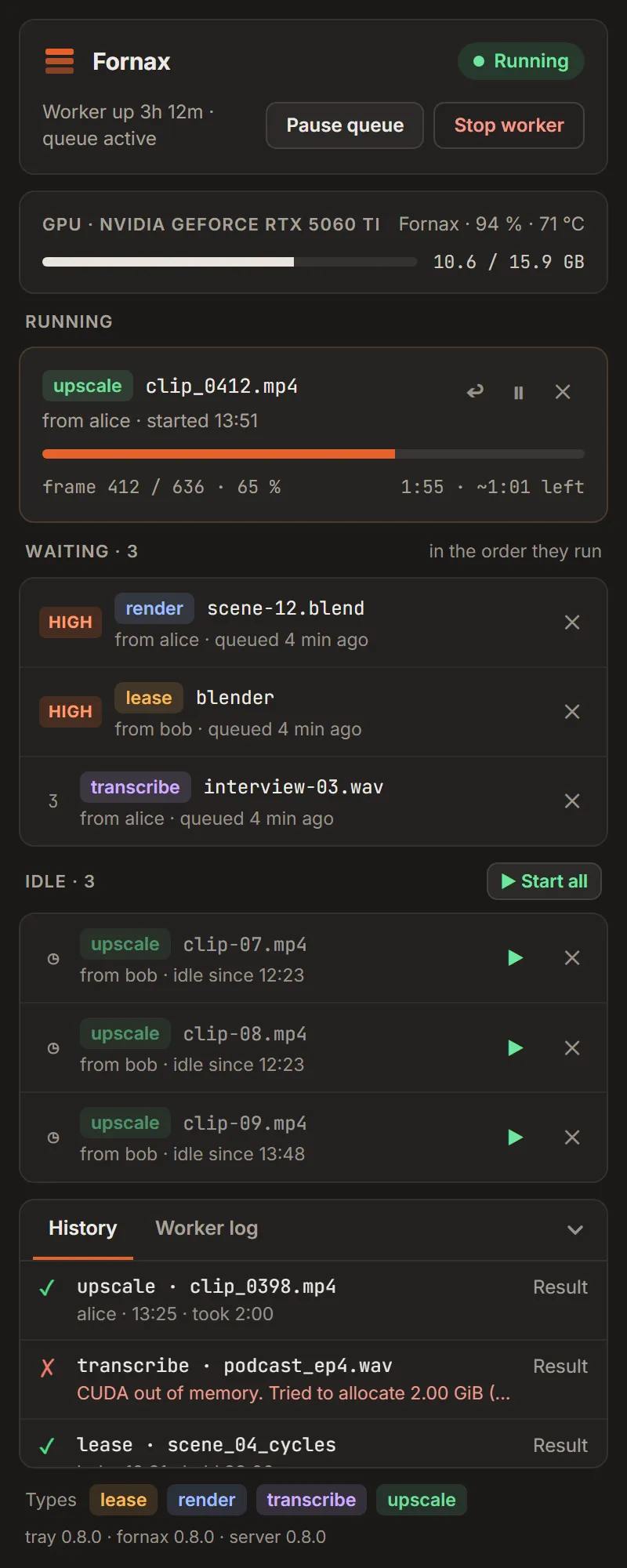
The Fornax tray window: the card's memory and load, an upscale job running at 65 %, three jobs waiting in order and the finished jobs below.

The card is the bottleneck

  • Everyone wants it at once. Two agents start a render and a transcription on the same card; the memory runs out and both fail.
  • Nobody sees the others. Whoever holds the card does not know who waits, and whoever waits does not know whom to ask.
  • The files live elsewhere. Inputs must reach the PC with the GPU, and the results must come back.

What it does

A fair queue

One job at a time, in order. Interactive work goes first with high; batches wait as idle until you start them.

  • Every job carries the name of the agent that sent it.
  • queue_status says who runs and who waits ahead of you.
  • get_job waits for a change instead of asking again and again.
The tray with a high-priority job at the top of the queue and two idle jobs that wait until someone starts them.

Lease the card

Programs you run yourself on the GPU PC take their turn too. fornax lease waits in the queue, holds the card while the program runs and gives it back when it ends.

fornax lease --priority high -- blender -b scene.blend -f 1

It needs the lease type and a client token on that PC: leasing in the README

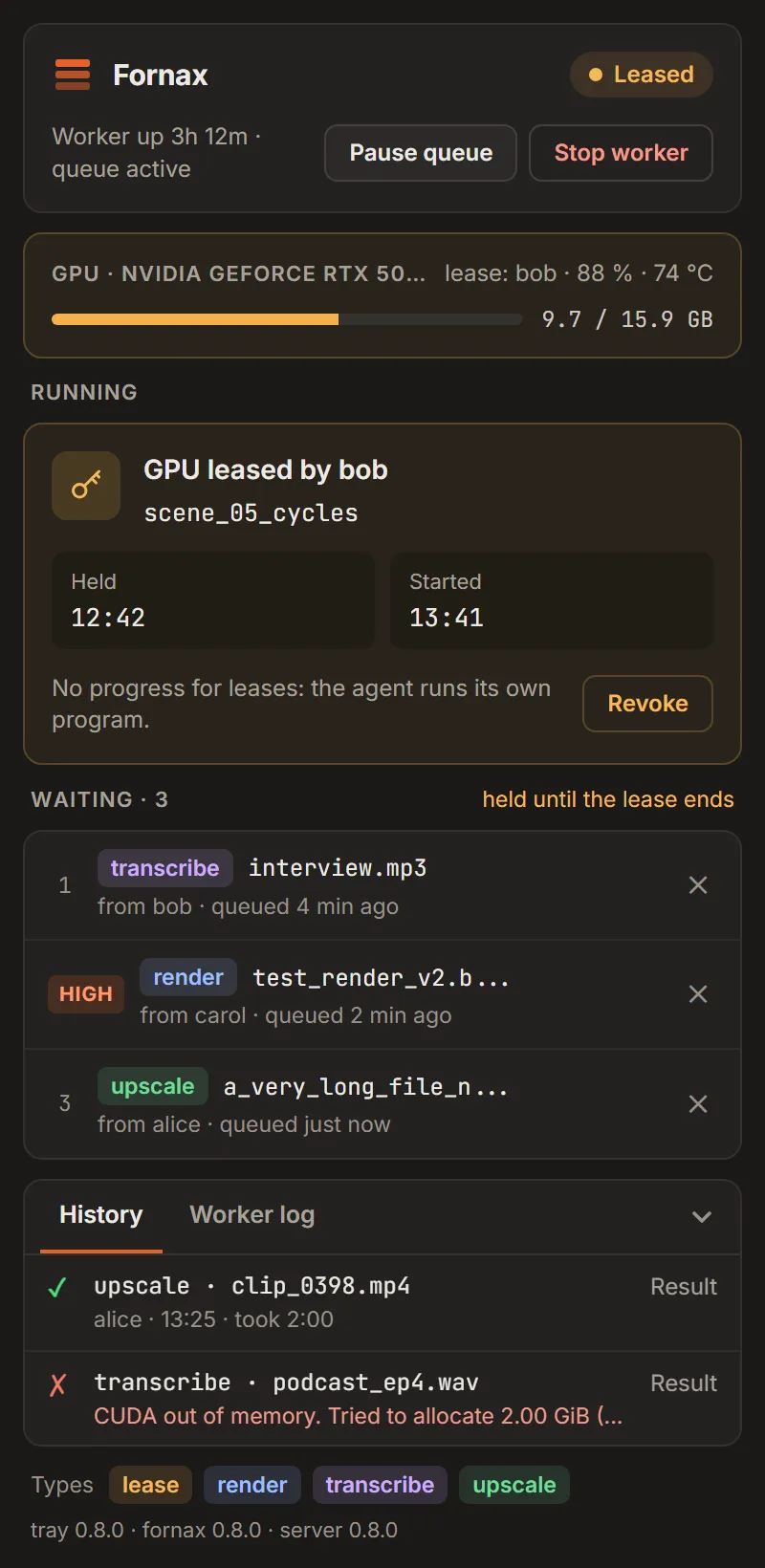
The tray while a lease holds the card for a program on the PC, with a Revoke button.

The tray

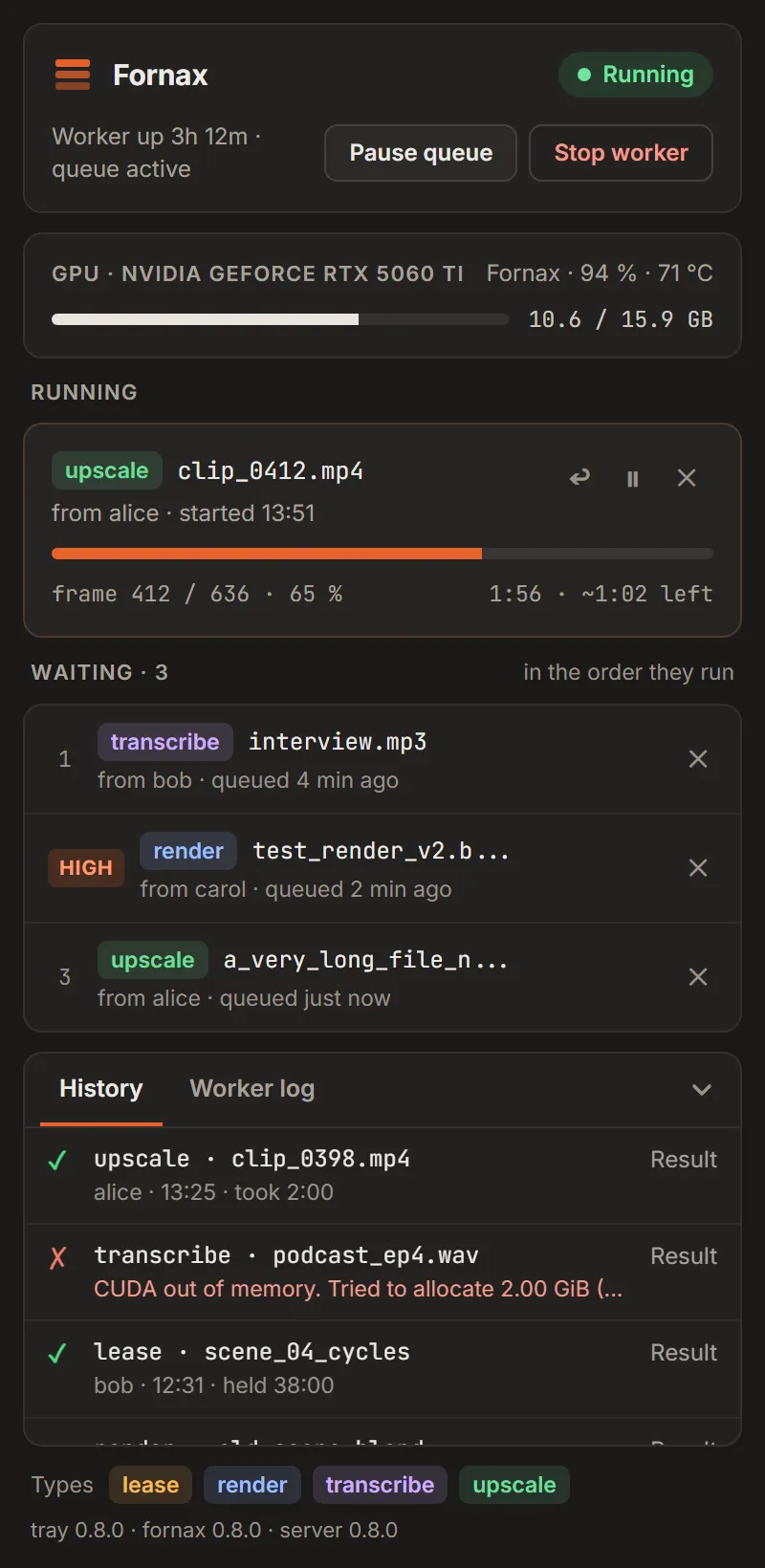
On the GPU PC the tray starts the worker and shows the card: its memory and load and who holds it, the running job with its progress, the waiting jobs (drag them to reorder), today's and yesterday's finished jobs and the worker's log.

The tray's history with today's finished jobs and, under a Yesterday line, the jobs from the day before.

Job types as packs

Transcribe, render, upscale, text to speech and your own types. A pack is a contract (its inputs and a strict parameter schema) and a command. There is no shell: arguments are built from checked values only, and the server offers exactly what the worker announced.

name: render
inputs:
  scene: { extensions: [.blend], max_mb: 2048 }
params:
  type: object
  additionalProperties: false
  required: [frame_start]
  properties:
    frame_start: { type: integer, minimum: 0 }
    samples: { type: integer, minimum: 1, default: 128 }
max_runtime: 6h
tools: [blender]

Results anywhere

Inputs go up through a one-time link (curl -T), never through MCP. Results come back with get_output: an image as a preview, text inline, anything else as a download link. Every job has a result page with its previews and its log, and every client sees only its own jobs.

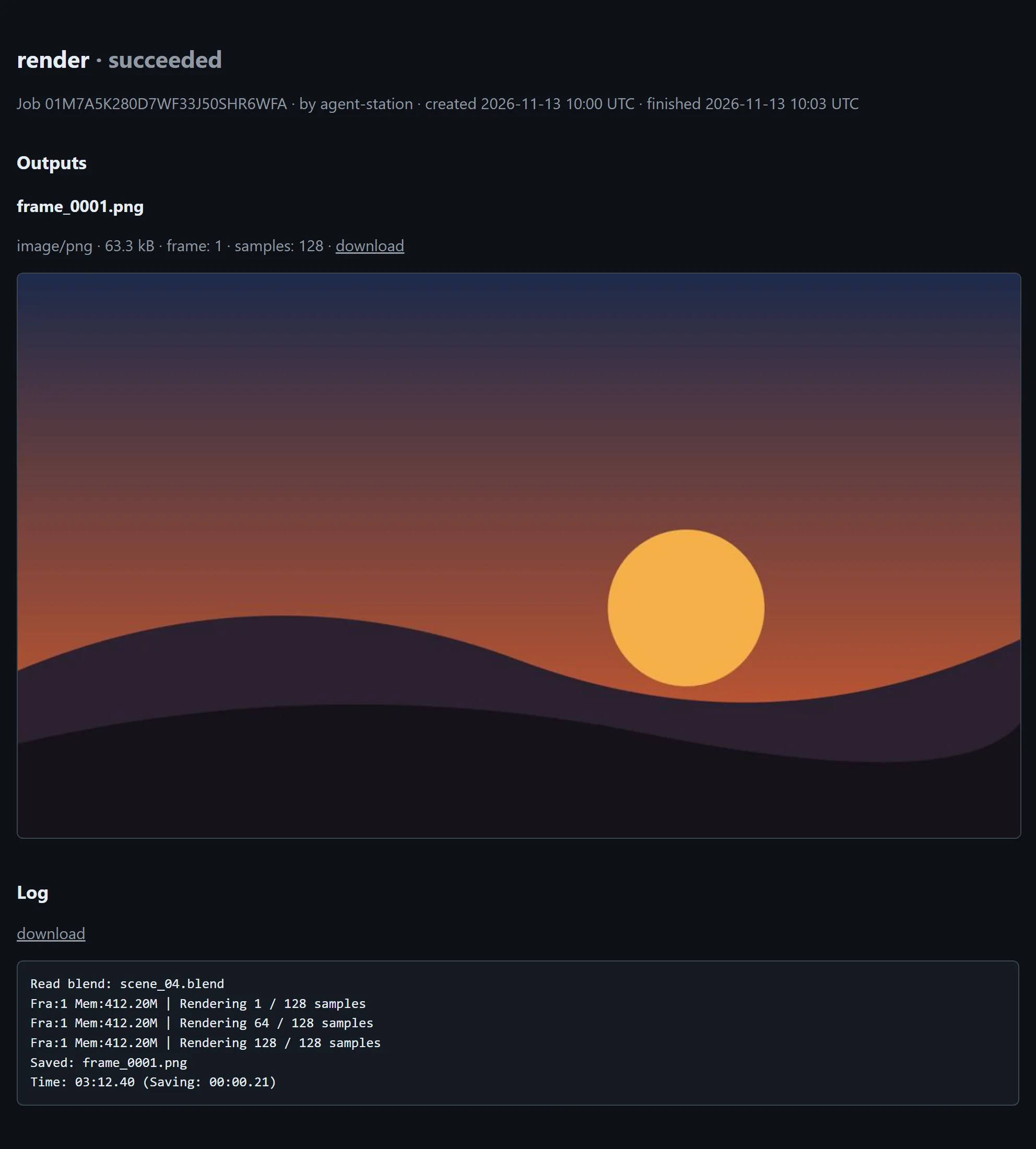
The result page of a finished render job: the rendered frame as a preview, the job's details and its log.

How it works

Agents and apps send jobs to the Fornax server; the worker on the GPU PC pulls them. Agents MCP: Claude Code, claude.ai Apps REST API and webhooks Fornax server one Docker image the queue, the files and the result pages Worker on the PC with the GPU pulls its jobs: no open port Windows or Linux

Agents talk to the server over MCP, apps over REST. The server keeps the queue, the input and output files and the result pages. The worker on the PC with the GPU asks the server for the next job, so the PC needs no open port; it runs the job's pack and sends the outputs back.

Get started

  1. Run the server

    docker run -d --name fornax -p 127.0.0.1:3000:3000 -v fornax-data:/data \
      -e FORNAX_SECRET="$(openssl rand -base64 48)" -e PUBLIC_URL=https://fornax.example.com \
      ghcr.io/carnaby/fornax:latest

    Put it behind your reverse proxy. Configuration in the README

  2. Connect Claude

    docker exec fornax fornax-admin tokens invite alice

    The invite page makes the token in the browser and shows the command for Claude Code (claude mcp add fornax --scope user --transport http https://fornax.example.com/mcp …) and the connector URL for claude.ai.

    Connecting a client in the README

  3. Run the worker on the GPU PC

    docker exec fornax fornax-admin tokens invite pc --worker
    node fornax-worker/fornax.mjs install
    fornax worker pair --server https://fornax.example.com --name pc
    docker exec fornax fornax-admin tokens approve pc
    fornax types install render
    fornax worker

    The invite runs on the server; the rest on the GPU PC, except the approval, which follows once you have compared the fingerprint pair shows. Before types install, put the paths of the tools the types need (here blender) into worker.yaml.

    The worker comes from your server (/downloads/fornax-worker.zip) or the GitHub releases and needs Node.js 22. The worker in the README

  4. Add the tray

    fornax tray install

    The installer of your server's version: MSI on Windows, deb on Ubuntu. The tray in the README